How can a driving school involve parents in learning to drive without making their child feel controlled?
Role
Product designer in a team of 3. I focused on UX writing, the recap feature and lesson booking.
Timeline
2 weeks, The Design Crew bootcamp
Client
Ornikar product team (presented to them)
Tools
Figma, Notion
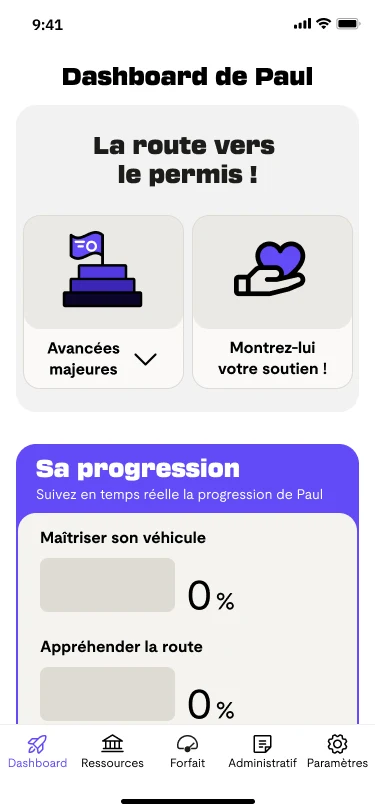
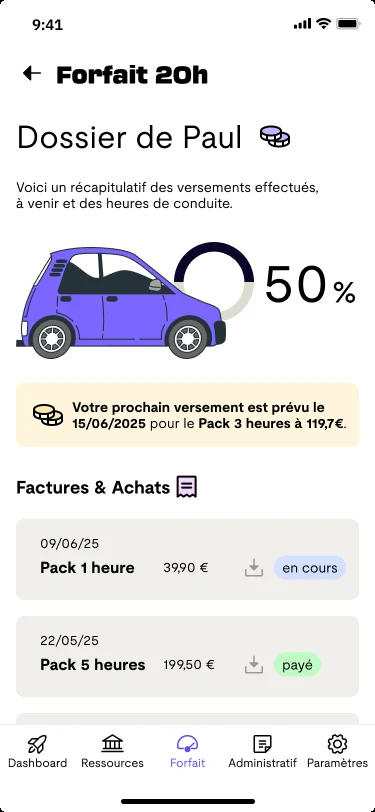
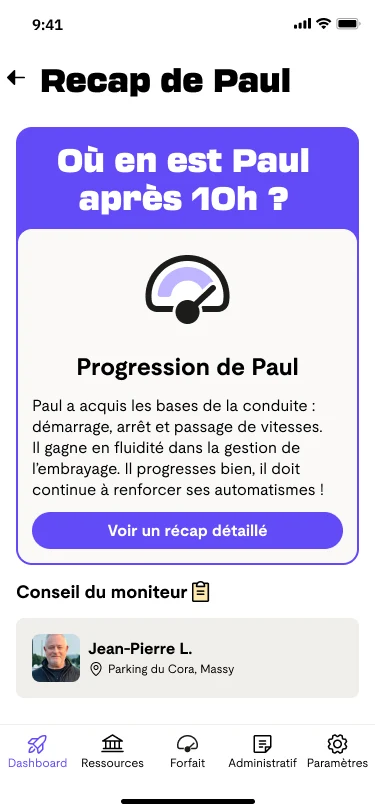
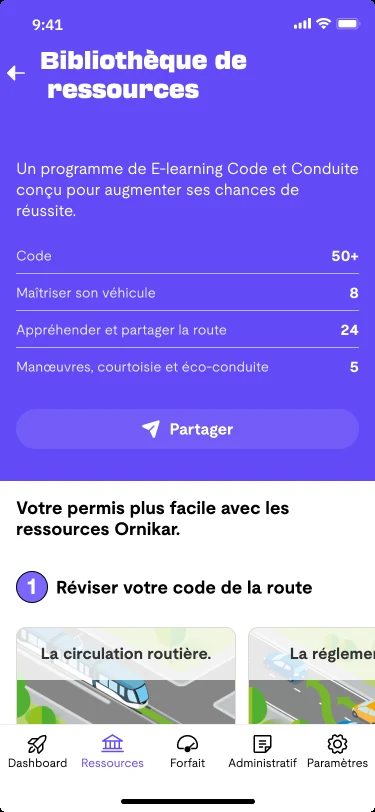
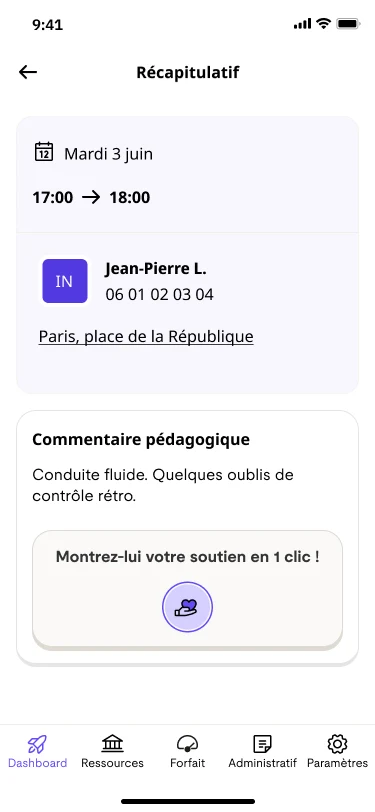
Final prototype: the dashboard, the licence package, and the recap after 10 hours of driving. The interface is in French, as the client's product is.
Context
Ornikar wanted parents inside the product, not only the brand.
61%of parents chose the driving school together with their child
75%of "Code" (theory test) users are under 24
73%of parents help their child study for the theory test
Source: figures provided by Ornikar in the project brief. I didn't produce them.
Our challenges: involve parents in the current learning experience, build something that helps both sides without feeling controlling, position parents as supporters, and include an AI-based feature.
Business challenges:
Parents' trust in Ornikar and its teachers
Involving parents in their children's journey
Giving parents visibility into their child's progress
Research
Parents feel neglected after they've paid.
We interviewed five parents.
5/5feel neglected by driving schools during the process. "At the beginning, they are very available to discuss prices. But afterwards, nothing."
4/5want a guiding role. "Guide is the right word."
4/5feel reduced to a financial role.
5/5trust their child during the process.
The question became: how do we show parents' role as a guide, beyond being the person who pays?
Ideas and inspiration
Borrowing from apps that keep people close.
We looked at Instagram and Strava (light reactions that boost connection), and Duolingo (streaks, milestones, progress bars). We kept two ideas: a quick way to cheer your child on, and a clear sense of progress.
Solution
Three things for parents.
Support your child
A cheering emoji for their next login, and a library of driving resources to review together.
Be supported, to guide better
An AI summary of the instructor's comments after each key stage, plus a timeline of progress.
One place for the licence
A progress dashboard, with payment history and documents in one place.
Support your child with a resource library, be supported with a recap after 10 hours, and keep the licence in one place with the package screen. The interface is in French, as the client's product is.
Testing
Parents loved the encouragement. They also said it was too much.
We tested the prototype with five parents.
What we wanted to check:
Measure parent involvement beyond finances and find ways to boost participation.
Test whether the application feels useful, engaging and seamless for support.
Check the clarity of progress, the timeline, the AI recap and the cheering button.
Assess the impact of exam data, feedback, notifications and other motivators.
5/5found the timeline and the encouragement button fun and motivating.
4/5said the navigation lets them follow their child's needs.
4/5saw the resources as a good way to communicate together.
5/5found some information confusing. "There is a lot of information."
4/5struggled to navigate the prototype.
4/5said buttons weren't clear. "I didn't realize that I had opened an additional menu."
“It summarizes Paul's progress at a glance.” · Lara
“There is a lot of information.” · Etienne
“I didn't realize that I had opened an additional menu.” · Hugo
Five people is a small sample, and this was a prototype test, not a launch. The patterns are useful, the percentages aren't statistics.
The parent journey
The parent journey in the redesigned product, from first login to the licence. The steps follow the screens above.
What we changed
Fewer things on each screen, clearer paths between them.
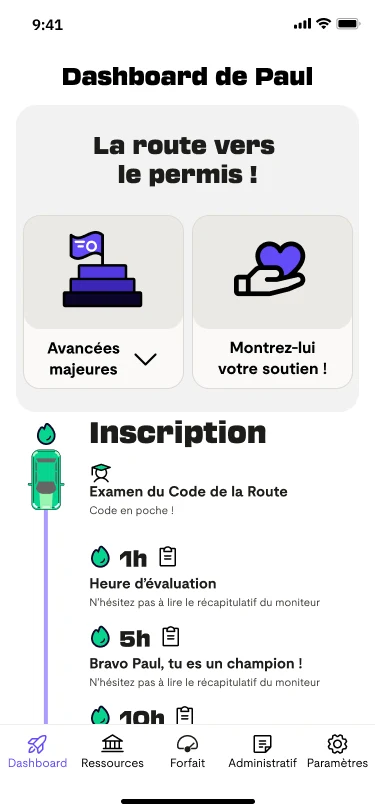
Rebuilt the tab bar and added a Dashboard with the most important information.
Spaced out pages and enlarged sections to make them easier to read, and standardised the UI.
Rewrote the wording of the notification and the recap page.
Made the timeline button easier to understand, and added dedicated cheering and resources buttons.
Renamed the package page, changed its icon and redesigned the payment funnel.
The recap after 10 hours of driving, and a lesson recap with a one-tap button for parents to show their support. The interface is in French, as the client's product is.
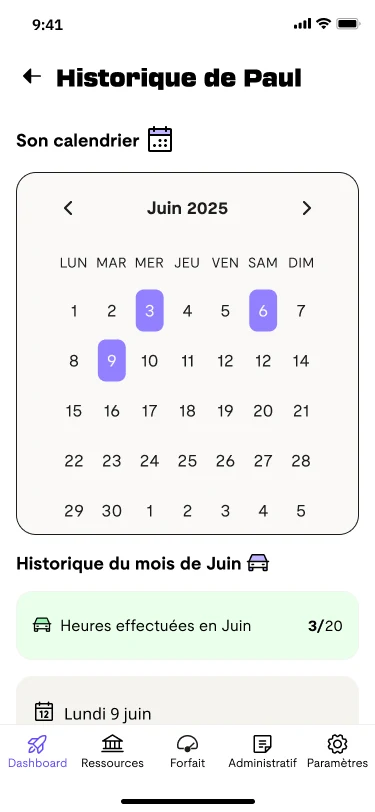
The lesson history calendar, and Paul's dashboard shown inside a phone frame. The interface is in French, as the client's product is.
V2 short, a walkthrough of the redesigned product.
Success targets
Nothing shipped, so these are targets, not results.
This was a two-week bootcamp project presented to Ornikar's product team. It never launched, so I have no business results to show. These are the targets I set to judge whether the parent features would work.
Adoption
70% of parents log in after account creation
2 to 3 logins per week or per month on the dashboard
Engagement
25% of parents open key milestone recaps
2 to 3 shared resources per parent
40% of parents using the feature send a support message
Impact
+60 NPS / CSAT on their role as a guide
70% of parents feel more informed and involved
10 to 15% conversion impact from parent involvement on course and pack purchases
50 to 60% of families keep using the dashboard through the learning journey
What I'd change
With more time, I'd cut the dashboard to the one thing a parent most wants to know, and test whether the rest is needed at all.